Command palette
The command palette lets you browse, search and trigger all keyboard shortcuts
and actions in kitty from a single searchable overlay. Press
ctrl+shift+f3 to open it (default: Ctrl+Shift+F3).
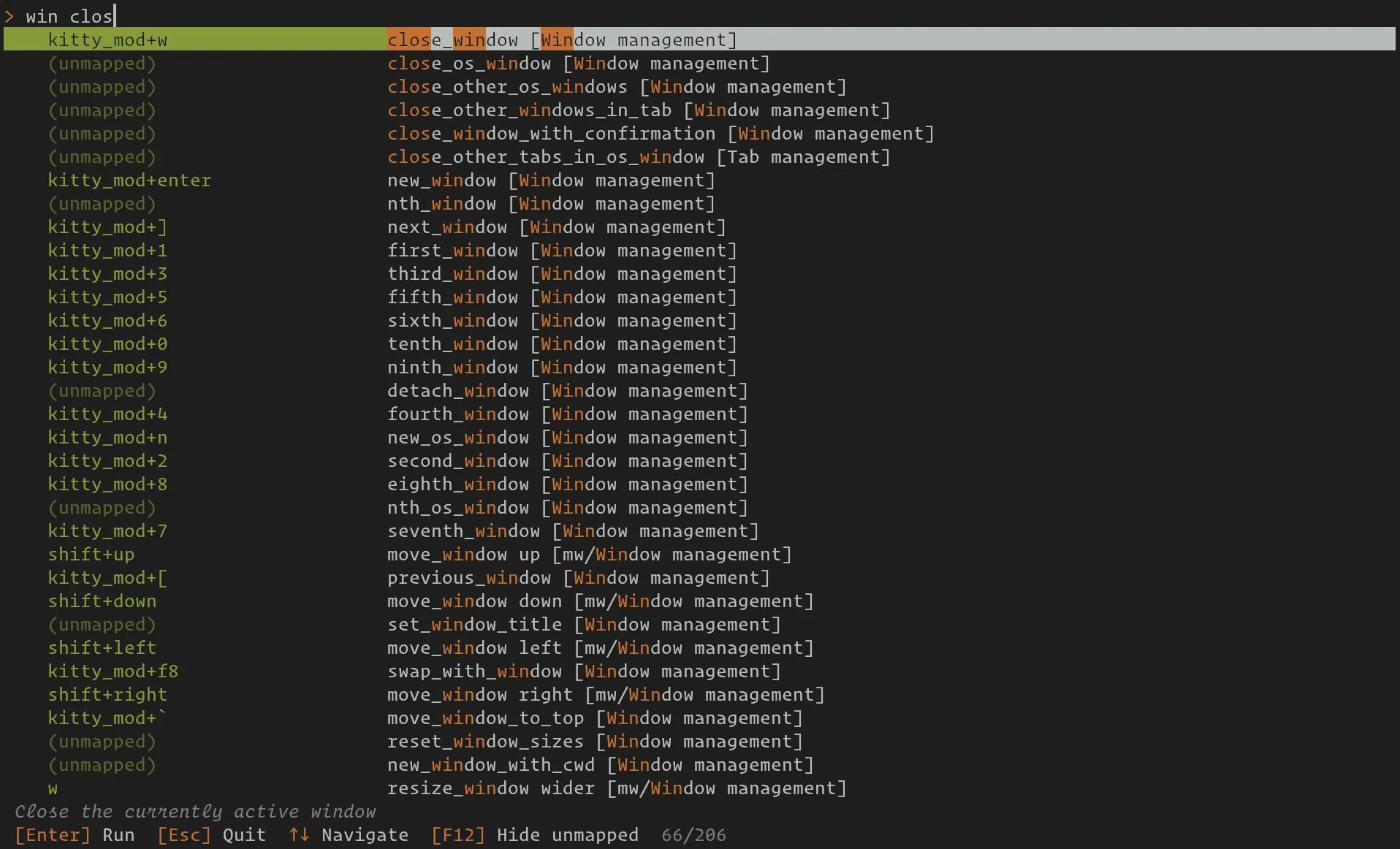
The command palette showing search results for win close.
All mapped actions (those with a keyboard shortcut) and unmapped actions (those available but not bound to any key) are listed, organized by category. Mouse bindings are shown in a separate section. Simply type to search, select a result, and press Enter to run it.
Searching
As you type into the search bar, the palette filters results in real time. Matching is case-insensitive and works across three columns simultaneously: the key (keyboard shortcut), the action name, and the category. Matched characters are highlighted so you can see exactly where each term hit.
- Multiple words
Separate your terms with spaces. Typing
scroll pagelooks for items that contain scroll and page anywhere across the key, action, or category columns. Items that match more of your terms are ranked higher than those that match fewer.- How individual words are matched
Each word in your query is compared against every word in the three columns. The best match wins and determines the item’s score for that term:
Exact word — the query word equals a column word exactly (highest score).
Prefix — the column word starts with the query word, e.g.
scrmatchesscroll.Typo tolerance — for words of four characters or longer, a single typo (one character inserted, deleted, or substituted) still produces a match, and two typos give a lower-scoring match.
An item appears in the results as long as at least one query word matches something. Items where more query words match rank above those where fewer match.
- Compound names
Delimiters such as
_,+,/, and-are kept intact inside a query word, so you can search for compound action names as a unit. Typingmouse_selectionfirst tries to find that exact substring in each column. If that fails, it splits the token into its parts (mouseandselection) and matches each part independently against the column words.- Ranking
When multiple items match the same query, they are sorted by:
Number of query words that matched (more is better).
Score on the action column (action matches outrank key or category matches).
Score on the key column.
Score on the category column.
Shorter action name as a tiebreaker (more specific results first).
Keyboard controls
The following keys are available while the command palette is open:
Key |
Action |
|---|---|
Any text |
Filter results by typing a search query |
Enter |
Run the selected action |
Escape |
Clear the search query, or close the palette if the query is already empty |
Up / Ctrl+K / Ctrl+P |
Move selection up |
Down / Ctrl+J / Ctrl+N |
Move selection down |
Page Up |
Move selection up by a page |
Page Down |
Move selection down by a page |
Home |
Jump to the first result |
End |
Jump to the last result |
Backspace |
Delete the last character from the query |
F12 |
Toggle display of unmapped actions |
Mouse click |
Select and run the clicked action |
Unmapped actions
By default, the palette shows both mapped actions (those bound to a shortcut)
and unmapped actions (those with no shortcut assigned). Unmapped actions appear
with an (unmapped) label in the key column. Press F12 to toggle
their visibility. This preference is remembered across sessions.
Unmapped actions are useful for discovering functionality that you may not have
configured a shortcut for. You can run them directly from the palette, or note
the action name and add a mapping in kitty.conf.
Custom keyboard modes
If you have defined custom keyboard modes in your
configuration, their bindings appear under separate mode headers in the palette.
The push_keyboard_mode bindings are grouped with the target mode they
activate, making it easy to see how to enter each mode alongside its shortcuts.
Configuration
The default mapping to open the command palette is:
map kitty_mod+f3 command_palette
You can change this in kitty.conf like any other mapping. For example:
map ctrl+p command_palette